
Reports
There are two report pages in the sidebar: AI Reports, which writes you a fresh summary of how you're doing, and Report Cards, where you download the official term report cards your school publishes.
How is my report card built?
Curious where the numbers, attendance and comments on your report card come from? The Report Cards guide walks through the full pipeline — from the marks your teacher enters to the PDF you download.
AI Reports
- Click "AI Reports" in the sidebar navigation
- It opens on the Weekly tab — switch to Daily or Monthly any time
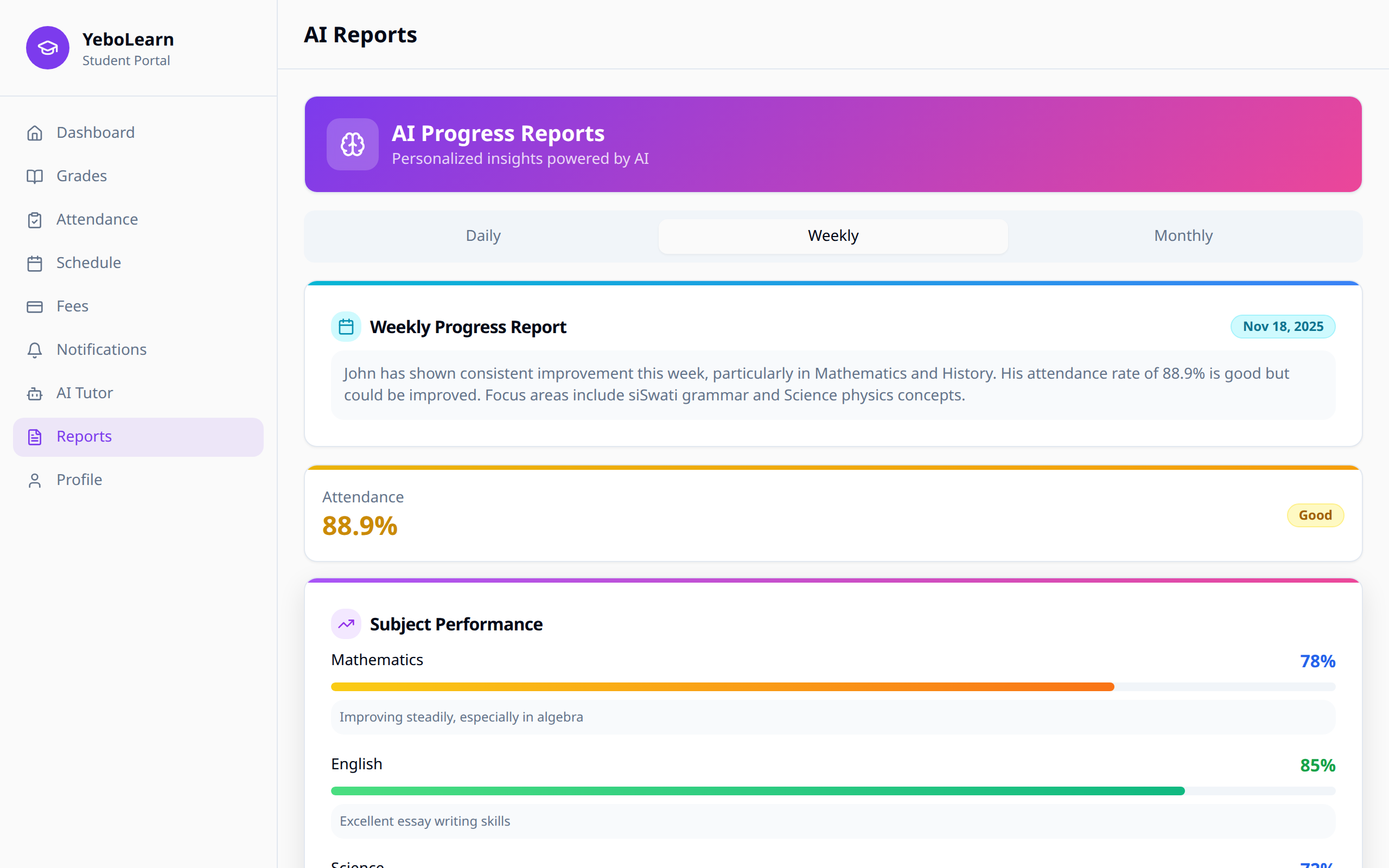
Each report is written for you when you open the tab, so give it a few seconds — the page says "This usually takes 5–10 seconds."
Daily
- Today's date
- Attendance today — present, late, absent or excused
- Recent grades (last 7 days)
- AI summary — a short write-up of how your day looks
Weekly
- The week's start and end dates
- Your Attendance rate and days present
- Subjects tracked
- Per subject — your average with an improving, stable or declining tag
- Strengths and Areas to improve
- AI summary
Monthly
- The month
- Your Attendance rate and days present
- Behavior
- Academic performance — your grade in each subject with a comment
- Achievements and Goals for next month
- AI summary
If a Report Won't Generate
- "Your school has used this month's AI quota" — reports come back next month, or your school can upgrade their plan.
- "Couldn't generate the report" — click "Retry". If it keeps failing, tell your teacher.
Report Cards
- Click "Report Cards" in the sidebar navigation
- My Report Cards lists one card for every term you have at least one grade in
Each one shows the term and academic year, how many subjects it covers and how many assessments went into it.
Click "Download report card" to save it as a PDF.
If there's nothing there yet you'll see "No report cards yet" — you'll have a card here as soon as a teacher enters your first grade for a term.
Your school has to release the term before you can download
A term showing up in this list only means you have grades for it — it doesn't mean the PDF is ready. Your school has to explicitly release report cards for that term before students and parents can download them. If you click "Download report card" for a term that hasn't been released yet, the download fails and you'll see an error. Ask your teacher or school admin when report cards for the term will be released.
Understanding Your Report
Reading Comments
Teacher comments provide:
- Specific feedback on your work
- Areas where you've improved
- Suggestions for further growth
- Recognition of effort
Using Reports for Improvement
Steps
- Review grades - Identify lowest and highest
- Read comments - Understand teacher feedback
- Compare trends - Are you improving?
- Set goals - Target specific grades
- Make a plan - Use AI Tutor for weak areas
Discussion Points
Use reports to discuss with:
- Teachers - How to improve
- Parents - Support you need
- School counselor - Academic planning
TIP
Don't just look at grades—read the teacher comments carefully. They often contain valuable advice for improvement.