
Attendance
The Attendance section helps you monitor your class attendance, ensuring you maintain good standing and don't miss important sessions.
Accessing Attendance
- Click "Attendance" in the sidebar navigation
- Your attendance records will be displayed
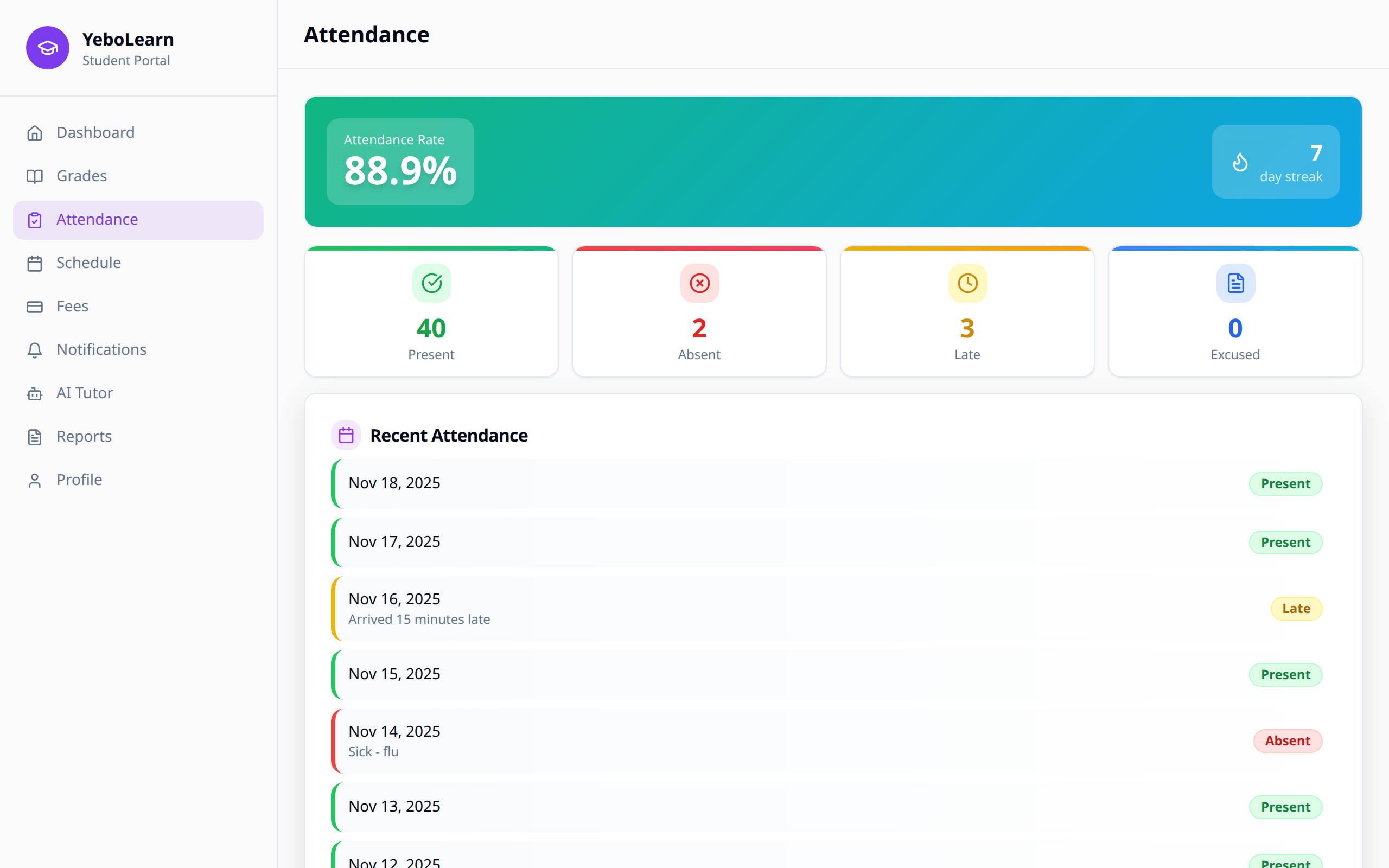
Attendance Overview
Summary Statistics
At the top of the page you'll see your Attendance Rate as a percentage, and — if your school uses XP and badges — your day streak next to it.
Under that, four cards count up your days:
- Present
- Absent
- Late
- Excused
Attendance Status Types
| Status | Description | Colour |
|---|---|---|
| Present | You attended that day | Green |
| Absent | You missed that day | Red |
| Late | You arrived after the start time | Yellow |
| Excused | Approved absence (medical, etc.) | Blue |
Only your school can set these — you can't change your own attendance.
Status Breakdown
A doughnut chart splits your days into Present, Late, Absent and Excused, so you can see the shape of your term at a glance. It only appears once you have attendance recorded.
Recent Attendance
Below the chart is a list of your recent days. Each row shows:
- The date
- Any note your teacher added
- A coloured status tag
If nothing has been recorded yet you'll see "No attendance recorded yet."
Understanding Your Attendance Rate
Your attendance rate affects:
- Academic standing - Some schools have minimum requirements
- Exam eligibility - Low attendance may affect exam access
- Reports - Attendance appears on your report card and your AI reports
WARNING
Most schools require at least 75-80% attendance. Check your school's policy.
Attendance Alerts
You can get a notification when your attendance is marked or when there's a problem. Turn Attendance alerts on or off in Settings.
Excused Absences
If you need to miss school:
- Tell your school in advance when you can
- Give them the paperwork (a medical note, for example)
- Your school marks that day as Excused
Tips for Maintaining Good Attendance
- Set reminders - Use calendar alerts for class times
- Check schedule - Review your timetable daily
- Communicate - Inform teachers if you must be absent
- Make up work - Catch up on missed classes promptly
- Monitor trends - Check your attendance weekly