
Grades
The Grades section allows you to view and track your child's academic performance across all subjects.
Accessing Grades
- Click "Grades" in the sidebar navigation
- Select a child (if multiple)
- View grades
Grades Overview
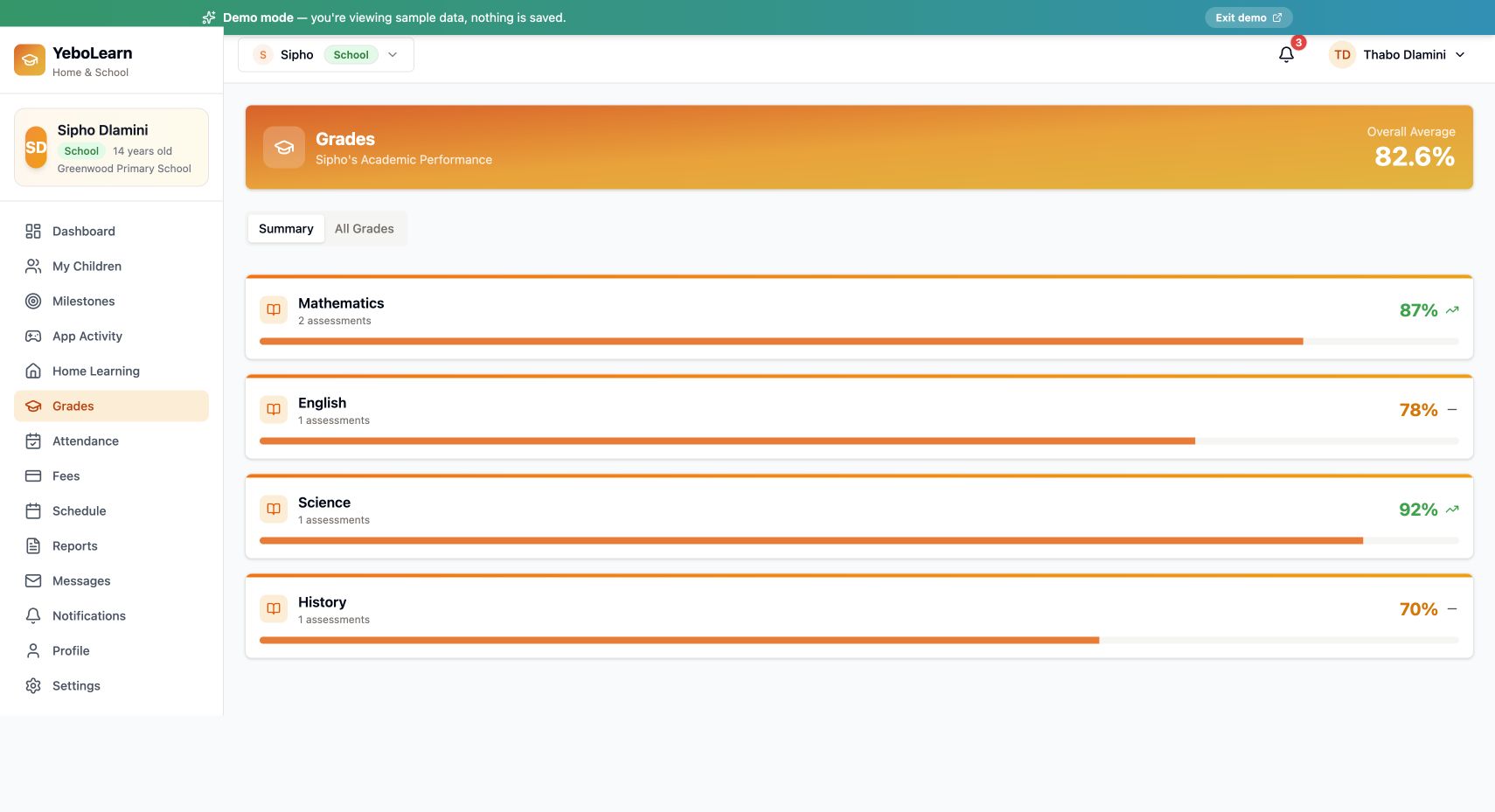
The banner at the top shows the child's name and their Overall Average as a percentage. Below it, grades are split across two tabs.
Summary Tab
One card per subject, showing:
- Subject name
- How many assessments it contains
- The subject average as a percentage
- A trend arrow (up, level or down)
All Grades Tab
Every individual assessment, showing:
- Subject
- Assessment type badge — Exam, Test, Quiz, Assignment or Project
- Teacher's name and the date
- The teacher's feedback, when they left any
- The percentage, and the raw score out of the maximum
Understanding Grades
Colour Coding
Percentages are colour-coded so you can scan them quickly:
| Colour | Percentage |
|---|---|
| Green | 80% and above |
| Amber | 60% – 79% |
| Red | Below 60% |
:::note Letter grades and pass marks vary by school and appear on the printed report card. Check with your school for their specific policy. :::
Grade Alerts
You can be notified when new grades are posted — turn Grade Alerts on in Settings. See Notifications.
Supporting Your Child
Interpreting Grades
When reviewing grades:
- Look at trends, not just single grades
- Note which subjects need support
- Celebrate improvements
- Discuss challenges constructively
Taking Action
If grades concern you:
- Talk with your child
- Message the teacher
- Consider tutoring support
- Use the AI Tutor feature (available to students)
Parent-Teacher Communication
Use the Messages feature to:
- Discuss grade concerns
- Ask about improvement strategies
- Request additional support
- Schedule meetings
Tips
- Review regularly - Check grades weekly
- Celebrate success - Acknowledge improvements
- Address issues early - Don't wait for report cards
- Communicate - Stay in touch with teachers
- Support learning - Help create good study habits
The updated screenshot above was captured in the public demo on 24 October 2026 and contains synthetic school records.